(888) 857-1746

 (888) 857-1746




Description
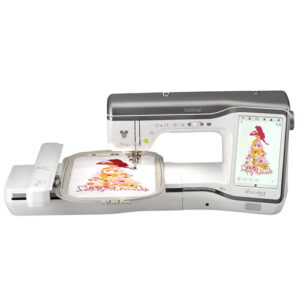
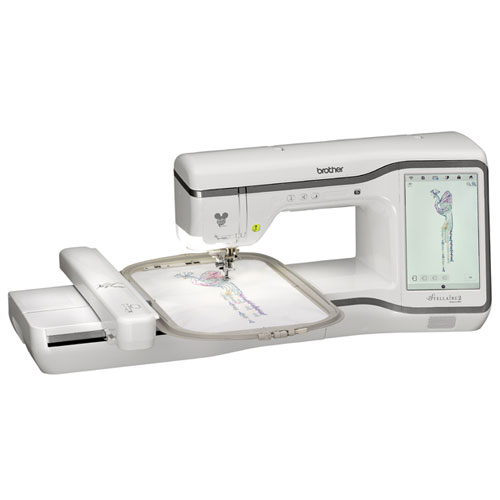
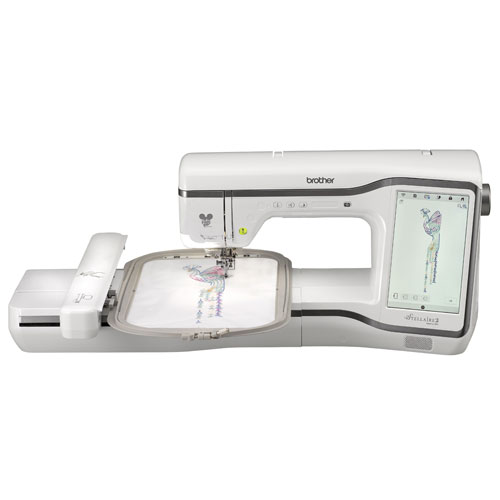
Take your embroidery to extraordinary levels with the Brother Stellaire2 Innov-ís XE2, a premium embroidery-only machine designed for creativity, precision, and ease of use. Combining advanced technology with an expansive design library—including exclusive Disney content—this machine is built to inspire every project.
Featuring a generous 9.5″ x 14″ embroidery area and an impressive 11.25″ workspace, the XE2 provides ample room for large, detailed designs. The bright LED lighting and spacious work area ensure excellent visibility and comfort while you create.
With 889 built-in embroidery designs, including 101 Disney-exclusive designs, you’ll have endless inspiration at your fingertips. From classic characters like Mickey Mouse and friends to favorites from Frozen, Finding Nemo, and Cars, your projects can truly stand out. Plus, expand your collection even further through iBroidery.com and the Artspira mobile app.
Stay connected with wireless functionality, allowing you to transfer designs without USB and manage your projects seamlessly. Use apps like Artspira, My Design Snap, and My Stitch Monitor to create custom designs, digitize artwork, and track your progress from your mobile device.
Precision features such as 2-point positioning with LED pointer ensure accurate placement every time, while advanced tools like Matrix Copy and My Design Center let you design, customize, and duplicate patterns directly on the machine—no computer required.
The large 10.1″ HD touchscreen makes editing, previewing, and navigating designs effortless, and built-in tutorials help you get the most out of every feature.
Add dimension to your projects with yarn couching, explore built-in patterns and in-the-hoop designs, and even connect with compatible ScanNCut DX machines for expanded creative possibilities.
Innovative, connected, and packed with creative power, the Brother Stellaire2 Innov-ís XE2 is the ultimate embroidery machine for those ready to turn ideas into stunning works of art.
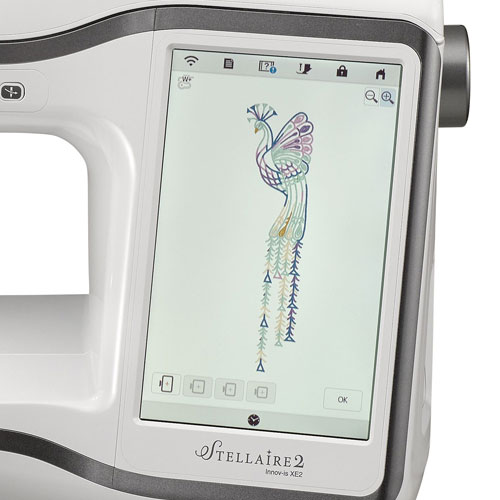
LCD Touch Screen & Navigation
The Brother Stellaire XE2 features a large bright 10.1″ color LCD touch screen display that allows you to see your stitches and designs clearly and easily navigate through the menus. Easily view on-screen tutorials and control the machine with large intuitive icons.
Embroidery Features
The Stellaire XE2 features a generous 9.5″ x 14″ embroidery field and 780 built-in embroidery designs, including 26 fonts and over 101 Disney designs. On-screen embroidery features include add, combine, drag and drop, letter editing, enhanced zoom, resizing, rotating, and repositioning and more!
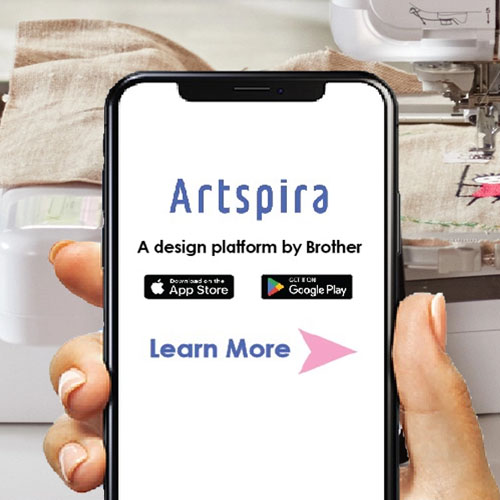
Artspira Integration
Meet Artspira, an all-in-one cloud-based design platform from Brother. Create embroidery drawing right in the palm of your hands with the Artspira App, and browse the Artspira digital magazine tiles to view projects and tutorials, and to get the most out of your Stellaire XE2.
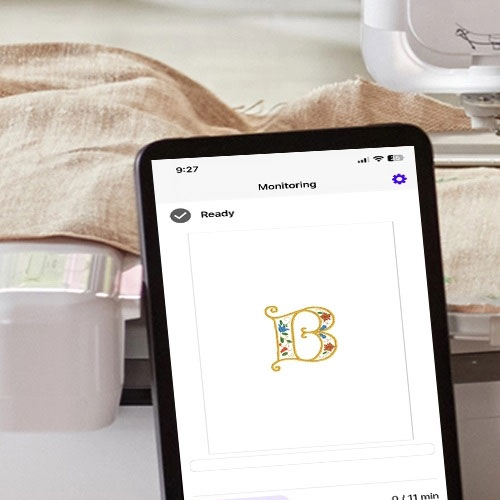
My Stitch Monitor App
Monitor the progress of your embroidery projects, thread alerts, and more with the My Stitch Monitor app. Be alerted when it’s time to change the thread or when your project is complete, right from your mobile device. In addition, you can check information on all the thread colors used for embroidering. You can also receive notifications on your mobile device when the machine stops.
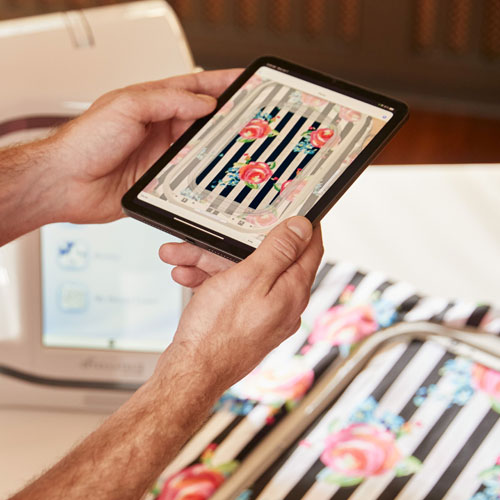
Design Capabilities at Your Fingertips
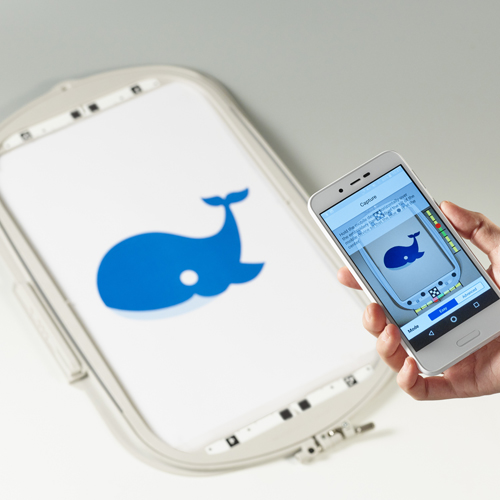
Achieve precise design placement effortlessly with the My Design Snap mobile app! The My Design Snap mobile app can turn line art, handwriting, or printed clip art into embroidery data. Its as easy as snap a picture of the hooped area, send it to your machine, and then enhance any piece with beautifully positioned and colored embroidery designs for stunning creations!
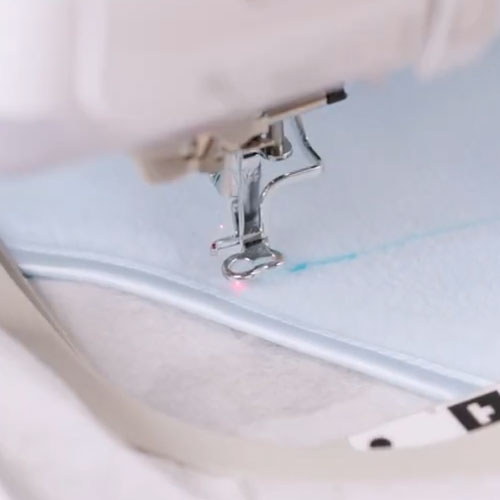
2-Point Positioning Feature
The Stellaire2 Innov-ís XE2 has a 2-Point Embroidery Positioning Function with a LED Pointer, which gives you precision accuracy positioning and will light up your fabric to see where the needle will drop for all your projects.
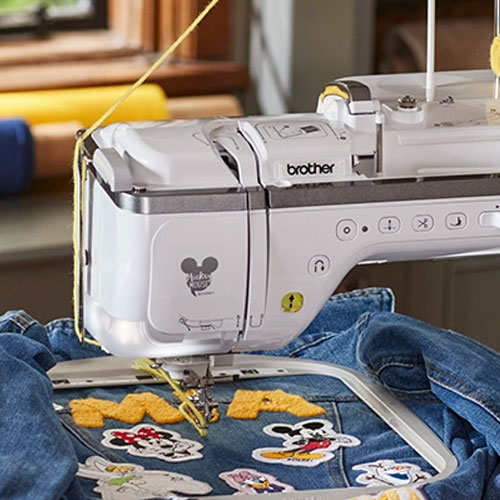
Couching Embroidery Foot
Embroider letters with yarn into a cool 3-D effect using the Couching Embroidery Foot. You can create upper- and lower-case letters (approx. 3” tall) and numbers; all characters are also resizable for even more flexibility.
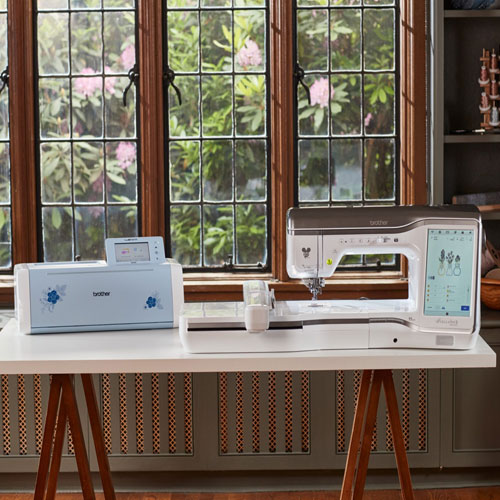
Wireless Enabled
The My Connection feature will allow you to send files back and forth between your Stellaire XE2 and select ScanNCut DX machines when connected on the same wireless network. This feature takes the place of using a USB to transfer designs between machines and is exclusive to select ScanNCut DX machines only.
Brother Stellaire Innov-ís XE2 Features:
- 780 Built-in embroidery designs
- 26 Built-in embroidery alphabets
- 101 Built-in Disney/Pixar designs
- 10 Built-in frame designs
- 10 Built-in frame stitches
- Automatic needle threader
- Automatic thread cutter
- Automatic thread tension
- Automatic thread trimming
- My Design Snap app capability
- My Stitch Monitor app capability
- My Custom Design feature
- Applique Creator function
- Quick set bobbin
- Start/stop button
- Needle up/down button
- On-screen editing
- 10.1″ LCD full color touch screen
- 3-D Effect and Matrix Copy
- On-screen help
- On-screen density adjustment
- Pattern rotation 1, 10, 90 degrees
- Resume function
- Realistic preview
- Basting stitch before embroidery
- USB Capability
- Wireless enabled
- Computer connectivity
- Trial position/layout function
- 9.5″ x 14″ Maximum embroidery area
- 1,050SPM Maximum embroidery speed
- Included 2 hoops
Brother Stellaire Innov-ís XE2 Included Accessories:
- Embroidery foot with LED pointer
- Needles
- Bobbins
- Seam ripper
- Scissors
- Cleaning brush
- Screwdriver small
- Screwdriver large
- Disc-shaped screwdriver
- Spool cap large
- Spool cap medium
- Spool cap small
- Spool cap special
- 9.5″ x 14″ Hoop
- 9.5″ x 14″ Template
- 5″ x 7″ Hoop
- 5″ x 7″ Template
- Telescopic thread guide
- Touch pen
- Embroidery bobbin thread
- Stabilizer material
- Spool pin
- Spool nets
- Embroidery needle plate cover
- Bobbin center pin
- Power cord
- Accessory case
- Grid sheet
- Lens calibration sheet
- Embroidery positioning stickers
- Quick Reference Guide
- Instruction manual